Blog
How to make waterslide decals at home
For a small name or illustration on a mug, the decal only needs to cover the design. Measure that spot with a strip of paper first. The surface color and your printer determine which film to buy.
Affiliate links. As an Amazon Associate, I earn from qualifying purchases.
1. Choose clear or white film for your printer
Buy waterslide film marked for your inkjet or laser printer. Clear film lets a light surface show through unprinted areas. On dark surfaces, or when the artwork needs white lettering, white film supplies the white base. Trim its border to the shape you want visible.
The steps below follow Hayes Paper Co.’s instructions: Hayes clear waterslide paper for inkjet printers or Hayes waterslide paper for laser printers. Both come as A4 sheets.
2. Lay out the sheet and test the size
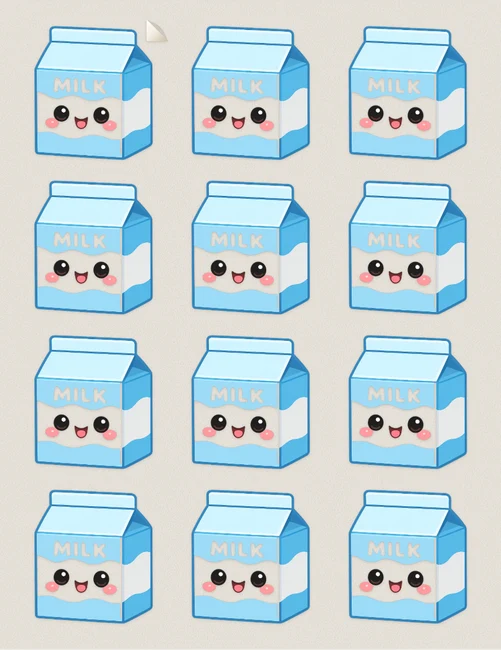
Open the waterslide decal maker. In Full controls, Tumbler Decals gives you a 3 × 4 Letter sheet. Upload your design, select Tile / repeat under Fill to repeat it in every cell, check the preview, and leave Mirror off for a standard face-up decal. Download the PDF, print on plain paper at Actual Size, and hold a cutout against the object.
If your film is A4, change the paper size to A4 in the maker and in the print dialog before the paper test. A4 is narrower and longer than Letter, so a Letter layout will not sit where the preview shows.
3. Print and prepare the film
Load a single sheet so the printer marks the coated side specified on the pack. Keep the scale from your paper test. For Hayes inkjet film, let the print dry and spray-seal it as directed before soaking. Hayes laser film uses fused toner and skips that sealing step. Other brands may use different coatings.
4. Slide one decal into position
Trim the decal with the border specified for that film. Soak it until the film moves gently on its backing. Rest the backing against the clean, smooth surface, hold the design in place, and draw the backing out from underneath. Smooth trapped water and bubbles toward the edges with a damp soft cloth.
5. Let it dry before handling
Leave the piece undisturbed for the drying time on the package. Check the film’s instructions before topcoating or washing. Hayes specifies gentle hand-washing for its decorated ceramics, including epoxied projects. Keep decorations on the exterior, clear of the drinking rim.
Troubleshooting the first decal
- The ink washes away. Check the printer and film pairing. For inkjet film that requires sealing, make sure the coating covered the whole design and dried before soaking.
- The picture disappears against a dark mug. Print a sample on white film. Standard home printers leave white areas unprinted, so clear film shows the mug underneath.
- The film tears as you pull it. Check whether it slides freely on the backing. Support it against the object as you withdraw the paper.
For the material-specific steps, see Hayes Paper Co.’s inkjet and laser instructions. For artwork that wraps all the way around a tapered cup, see how to size a tumbler wrap.
Frequently asked questions
Should I mirror a waterslide decal?
Leave Mirror off for a standard face-up decal. If the film is intended for reverse application behind glass, follow that product’s orientation instructions.
Do laser waterslide decals need a sealer before soaking?
Hayes laser waterslide paper skips the spray-sealing step. Its inkjet paper requires sealing before soaking. Follow the instructions for the film you bought.