Press & Media
Press kit for MakeMyStickers
Everything a writer or reviewer needs to cover MakeMyStickers: ready-to-use descriptions, a fact sheet, brand logos, and product screenshots. Use any of it freely. If you need something that is not here, email hello@makemystickers.app.
One-line description: MakeMyStickers is a free, no-login, browser-based sticker sheet and label maker for turning your own artwork or text into print-ready sheets, Avery-compatible label templates, CSV/mail-merge runs, and Cricut Print Then Cut PNGs.
Download full press kit (.zip)
Logos (SVG + PNG), both screenshots, and a README. Assets may be used for editorial coverage with no additional permission; please do not alter the logo.
Jump to: Facts · Boilerplate · Logos · Screenshots · Contact
Fast facts
| Name | MakeMyStickers |
|---|---|
| URL | makemystickers.app |
| What it is | Free browser-based sticker sheet and label maker (print layout tool, not a design-template editor) |
| Price | Free. No paid tier, no trial, no watermark. |
| Account | No signup or login required |
| Platform | Any modern web browser, desktop or mobile. Nothing to install. |
| Privacy | Image handling is client-side. Artwork and label text are not uploaded to a server. |
| Inputs | Images (PNG, JPG, GIF, WebP, SVG), built-in icon library, typed text, CSV import |
| Exports | Print-ready PDF, transparent PNG (sized for Cricut Print Then Cut), direct browser print |
| Layouts | Avery-compatible templates plus custom rows, columns, gaps, margins, shapes (square, rounded, circle, hex), and paper sizes |
| Business model | Optional affiliate links to sticker paper and supplies. The tool works identically whether or not links are used. |
| Contact | hello@makemystickers.app |
Boilerplate copy
Copy and paste whichever length fits your piece.
Short (one sentence)
MakeMyStickers is a free, no-login browser tool that turns your own artwork or text into print-ready sticker sheets, Avery-compatible label templates, and Cricut Print Then Cut PNGs.
Medium (one paragraph)
MakeMyStickers is a free, browser-based sticker sheet and label maker. Unlike Canva- or Adobe-style design suites, it focuses on the practical job of arranging finished artwork or text onto printable pages. Users upload images or type labels, pick a layout (Avery-compatible templates or custom rows, columns, shapes, and paper sizes), and export a clean PDF or transparent PNG. There is no signup, no watermark, and image handling stays on the user's device.
Long (two paragraphs)
MakeMyStickers is a free, browser-based tool for making printable sticker sheets and labels. It is built for the common task most sticker and label tools overcomplicate: you already have artwork or text, and you just need to arrange it into a clean, print-ready sheet. Users upload images, choose from a built-in icon library, type labels, or import a CSV for batch and mail-merge runs. They then control paper size, shape, rows, columns, spacing, and margins, and export a print-ready PDF, a transparent PNG sized for Cricut Print Then Cut, or print directly from the browser.
The tool requires no account, adds no watermark, and runs image handling client-side, so uploaded artwork is not sent to a server. It supports Avery-compatible label templates (including 5160, 5260, 8160, 5163, 5167, and 5267 pages) alongside fully custom sheets, plus ready-made presets for address labels, return labels, name tags, place cards, gift tags, pantry and spice jar labels, and more. MakeMyStickers stays free through optional affiliate links to printing supplies; the tool behaves identically whether or not anyone uses those links.
Key features
- Free with no signup, no watermark, and no paid tier
- Runs entirely in the browser, on desktop or mobile, with nothing to install
- Client-side image handling: artwork and label text are not uploaded to a server
- Avery-compatible templates plus fully custom rows, columns, gaps, margins, shapes, and paper sizes
- Image, text, and image-plus-text content modes
- CSV import for address labels and batch/mail-merge label runs
- Built-in icon and sticker library
- Print-ready PDF export and direct browser printing
- Transparent PNG export sized for Cricut Print Then Cut
- Save and reload layouts as local files
Best pages to link
- Main tool: makemystickers.app
- Features overview: makemystickers.app/features
- Cricut Print Then Cut: makemystickers.app/print-then-cut
- Address labels: makemystickers.app/address-labels
- Avery 5160 template: makemystickers.app/avery-5160
- Printing guides: makemystickers.app/guides
Logos
SVG is preferred for the web; the 2x PNG is provided for contexts that need raster. Use the reversed versions on dark backgrounds. Assets may be used for editorial coverage with no additional permission. Please do not stretch, recolor, or add effects to the mark.
Brand color: accent #e8a87c on dark background #1a1a1a.
Screenshots
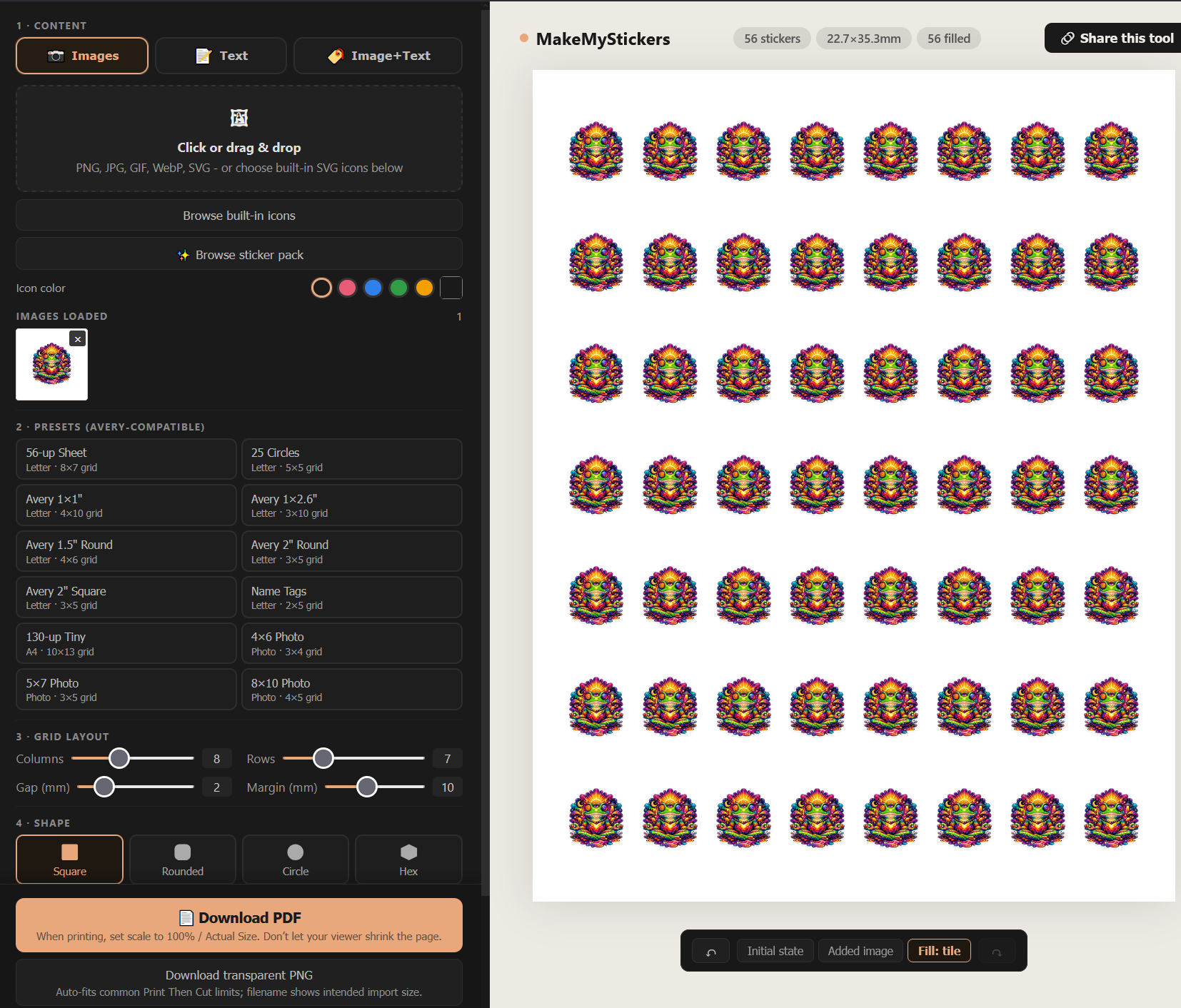
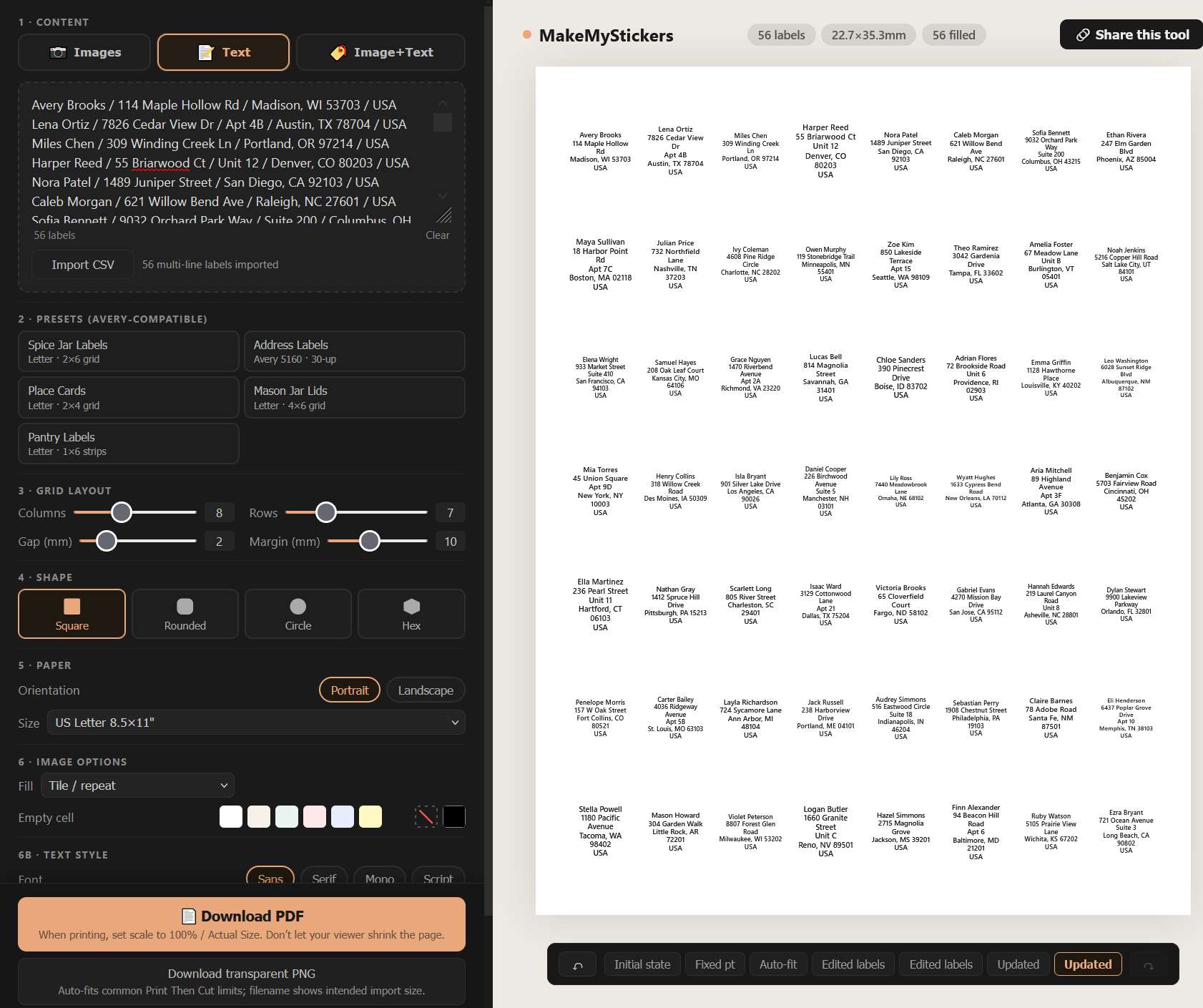
Screenshots of the editor and sample output. Click an image for the full-size file, or use the download link under each.
Contact
For interviews, questions, fact-checks, additional assets, or anything else, email hello@makemystickers.app.